
For running Minecraft servers
Your world is only safe when you can restore it.
A practical process for offsite backups, restore, and notifications with itzg/mc-backup.
- Choose the right offsite destination
- Automate backups and notifications
- Run through a clean restore once
€3.75 one-time · Access and updates included.
Included with access
A process instead of scattered tips.
Get adaptable examples for the steps that matter after the first deployment.
Provider-specific guides
Google Drive, OneDrive, Dropbox, S3, SFTP, WebDAV, and local targets.
Compose and env examples
Directly adaptable configurations that you can merge into your setup.
Discord feedback
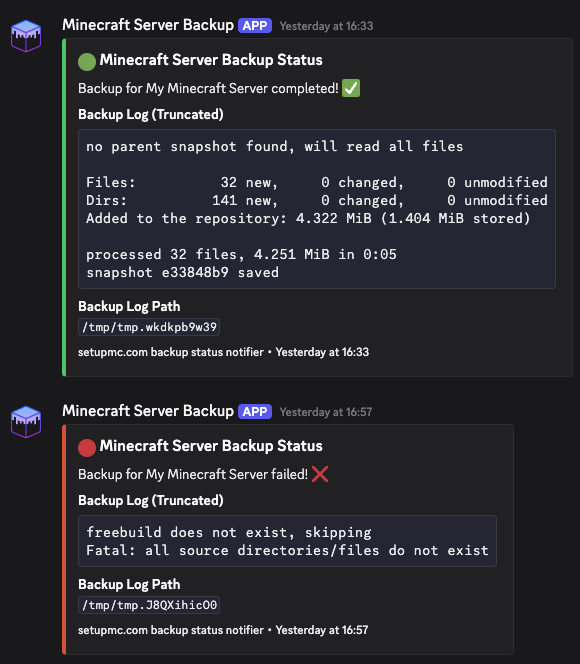
An adaptable script for success, failure, and status messages in day-to-day operation.
Restore and operations guidance
How to think about recovery, schedules, and retention as one workflow.
One-time access
Make backups predictable.
After purchase, you receive access to the complete guide repository with current examples and future updates.
- Instant access to the repository.
- All future updates included.
- Ready-made configurations for copy and paste.
Secure checkout
After purchase you get immediate access to the guide repository. If checkout does not load, you can retry directly or contact us.
About the open-source image
itzg/mc-backup is free. The guide provides the tested integration, provider examples, and the complete restore process around it.